Freelance Client Management: A Simple System That Gets You Paid
Freelancing rarely fails on the work. It fails on the admin. Here are the four records every freelance business needs, and a weekly routine that keeps them clean.
 Rockie Bagona7 min read
Freelancing rarely fails on the work. It fails on the admin: the quote nobody wrote down, the project that quietly grew by three extra rounds, the invoice sent three weeks late, the client who paid after the second reminder — or never.
A client management system is not software you buy. It is four records you keep in the same place, for every client, every time. Get those four right and the last week of every month stops being a scramble.
The four records every freelance business needs
- The client — who they are, how they found you, what was agreed.
- The project — what you are delivering, by when, for how much.
- The invoice — what was billed, when it is due, how much is still unpaid.
- The payment — what actually arrived, and on which date.
If any of those lives only in your head, in a chat thread or in a screenshot, it will cost you money eventually. The rest of this article is how to keep all four in one place without buying accounting software or learning a new tool every quarter.
1. Capture the client before the work starts
Most freelance disputes are not about quality. They are about two people remembering a different conversation. A short inquiry form settles that before you spend an hour on a discovery call: it collects the scope, the deadline, the budget range and the person who approves the finished work, in writing.
Four questions are enough:
- What do you need made, in your own words?
- When does it need to be live, used or shipped?
- What budget range are you working with?
- Who signs off on the final version?
When a client answers those on day one, the proposal writes itself and the scope conversation has a paper trail. When they refuse to answer, that silence is useful information too.
2. One project, one record
A project record holds five things: the deliverable, the agreed price, the deadline, the current status, and the rounds of revision included. Everything else is commentary.
Keep the status honest and limited. Four states are plenty — not started, in progress, waiting on client, delivered. The value is not in the labels. It is that "waiting on client" shows you instantly which projects are stuck on someone else's desk, so the delay does not land on you later.
Revisions are where freelance margins disappear. Count them. If the agreement includes two rounds, the third round is a new line item, not a favour. Saying that in the proposal is awkward for one minute; saying it on delivery day is a fight.
3. Invoice the week you deliver
An invoice sent late is money lent for free. The invoice should go out in the same week the work is handed over, with three details that do the heavy lifting:
- A clear due date — "due 14 November", never "due on receipt".
- A reference number — so the payment can be matched when it lands.
- Payment details in the invoice itself — so the client does not have to ask.
Track the balance for each invoice rather than a single "paid" note. A partial payment is the most common quiet loss in freelance work: the client sends half, everyone relaxes, and the other half is forgotten for six weeks.
4. Put payment follow-ups on a schedule
Chasing money feels rude, so most freelancers delay it and lose weeks of cash flow. A schedule removes the emotion, because the reminder is the system's job, not a mood you work yourself into.
A routine that stays polite and still works:
- Day 1 — invoice, with the due date written on it.
- Day 3 before due — a one-line heads-up, no apology.
- Day 1 after due — a reminder that restates the invoice number, the amount and the payment details.
- Day 7 after due — a note that work pauses until the balance clears.
- Day 14 after due — the final note, mentioning late fees only if your terms already said so.
Every message is short and identical in structure. That is the point: it stops being a confrontation and becomes a process the client can predict.
The 20 minutes a week that keeps it clean
Systems rot when maintenance is a big event. Twenty minutes, once a week, is enough:
- Update every project status — including the ones sitting with the client.
- Look at every invoice that is unpaid or partly paid, and send the reminder the schedule calls for.
- Enter the week's income and expenses on the day they happen, not at tax time.
- Scan the deadline list for anything due in the next ten days and flag it early.
Once a month, add ten more minutes: total the income, total the expenses, and compare. One number answers the question every freelancer argues with — did this month actually pay?
Where this system lives
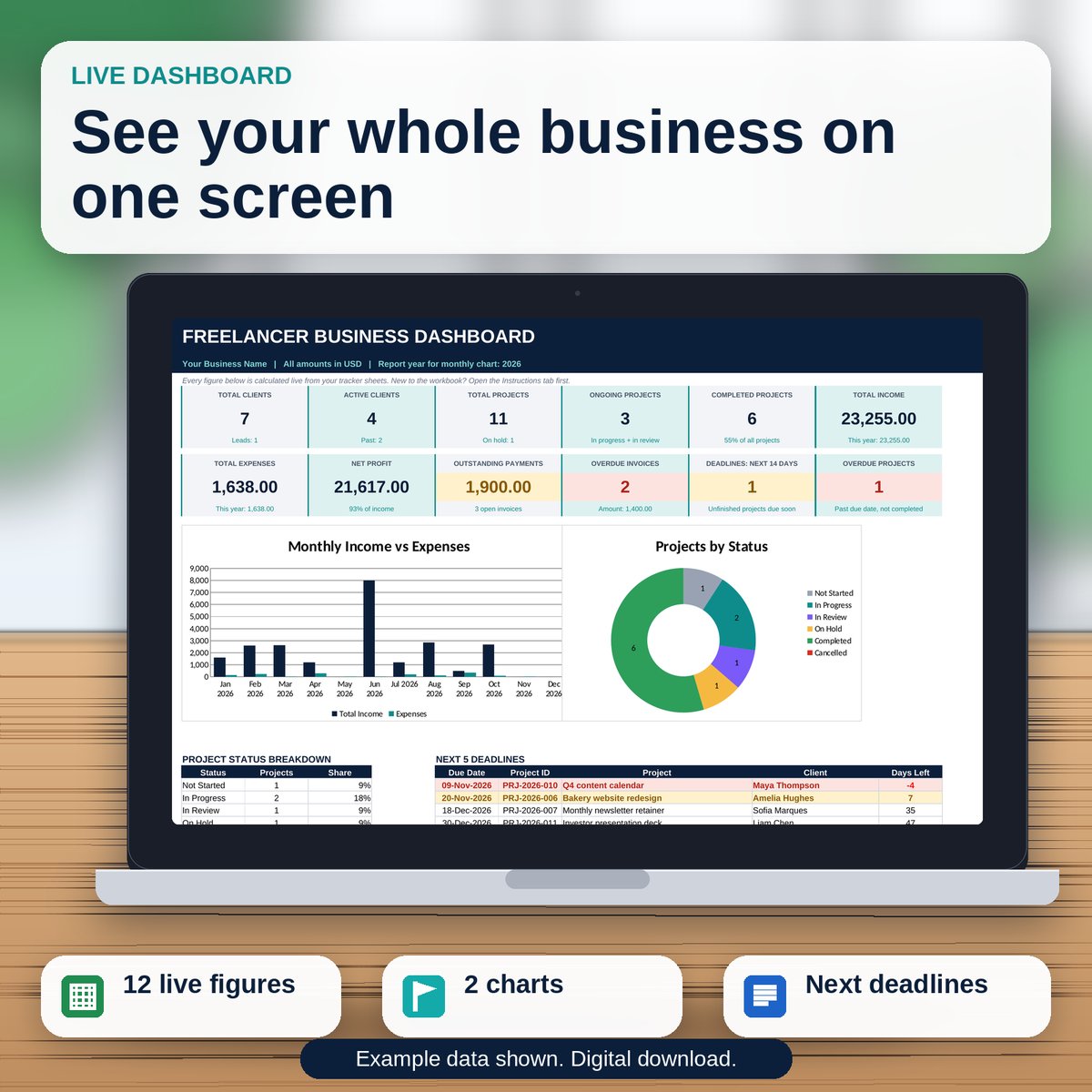
You do not need a subscription. A spreadsheet with one tab per record handles a solo business comfortably, and the templates in the Freelancer Client Management System Bundle are exactly that structure: a client database, project and invoice trackers with automatic balances and overdue counts, a deadline calendar, and a dashboard that shows the month in twelve live figures.
See the Freelancer Client Management System Bundle
If you would rather build your own, copy the shape rather than the styling: one tab per record type, dropdown lists instead of free text, one place where a payment is entered, and every total calculated from those entries. The structure is what saves you, not the file format.
Five mistakes that cost freelancers real money
- Quoting in chat only. No document, no scope, no defence when the work grows.
- One payment status for a whole project. Partial payments vanish into it.
- Due dates written as "on receipt". It reads as "whenever".
- Chasing invoices from memory. The quiet ones go unpaid the longest.
- Recording expenses once a year. You cannot price the next project if you do not know what the last one cost.
None of this is accounting advice, and none of it replaces a bookkeeper when your business grows. It is the minimum structure that keeps a solo freelancer organised, paid on time, and able to say yes to the next project without guessing whether the last one broke even.
Browse the rest of the digital products and workbooks for more systems like this one.
- guides & workbooks
- freelancing
- client management
- invoicing
- small business
Downloadables
Print as many pages as you like
Digital books arrive instantly — one payment, unlimited reprints at home.